website - punchingshear.com
An AI assistant can only work with what it can reach. If a piece of software has no way to let it in, you become the go-between: you read numbers off one screen, type them into another, then carry the answers back. It works. But it’s you doing the fetching, every time.
MCP is the plug that closes that gap. It’s a shared way for software to offer up what it does, so an assistant can use it directly instead of asking you to. Software that doesn’t offer one isn’t broken, exactly — it’s just walled off, and that wall gets more annoying every time the assistants get better. So: if you build software, add an MCP server. If you buy software, ask whether it has one.
Here’s one I built.
What it does
punchingshear.com checks concrete floor slabs for punching shear — the failure where a column punches straight up through the slab it’s holding. It follows Eurocode 2, the European standard engineers design to.
There’s an ordinary web page you can use by hand. There’s also an MCP server that gives an assistant the same set of actions: create a design, change the inputs, run the check, list what you have, and switch what the browser is showing.
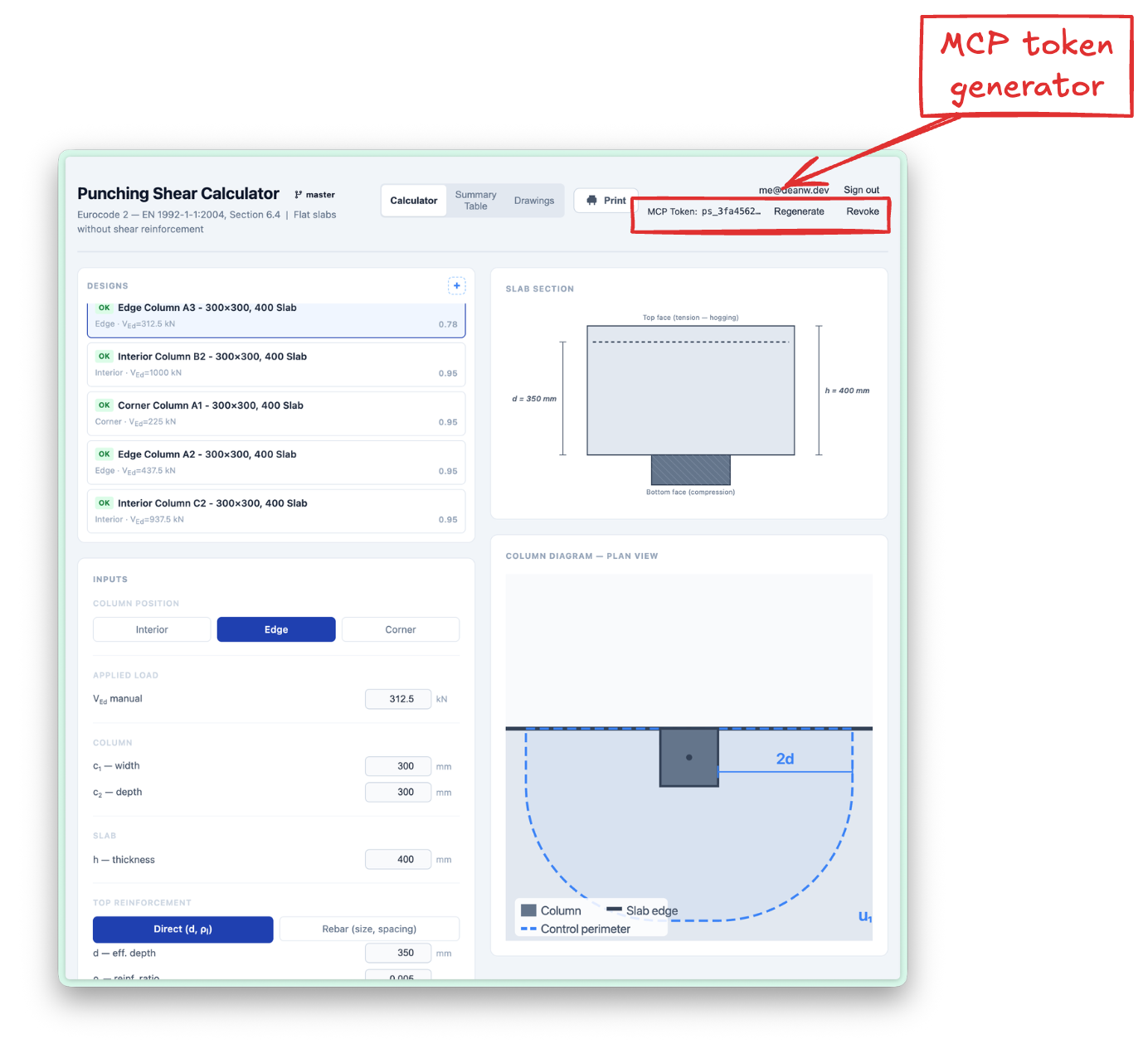
Two things worth saying. The assistant never does the maths — it supplies the inputs and reads the results, and the same engine behind the website does the calculating. And because it can change what your browser is showing, you can talk in one window and watch the design update in the other. That’s the bit that makes it click.
It’s a design aid, not verified software. Check anything before you build it.
Try it
It’s live, and it’s yours to try. Sign in, generate a token, and point your client at it:
claude mcp add --transport http --scope user punching-shear \
  https://www.punchingshear.com/mcp \
  --header "Authorization: Bearer ps_..."
This took a weekend or so. That’s the point, really — not the calculator, but how little it costs to stop being the go-between. More software should do it.